 Bookbndr
What you'll do: read the checklist at the top of the Export step and clear anything it flags before you publish.
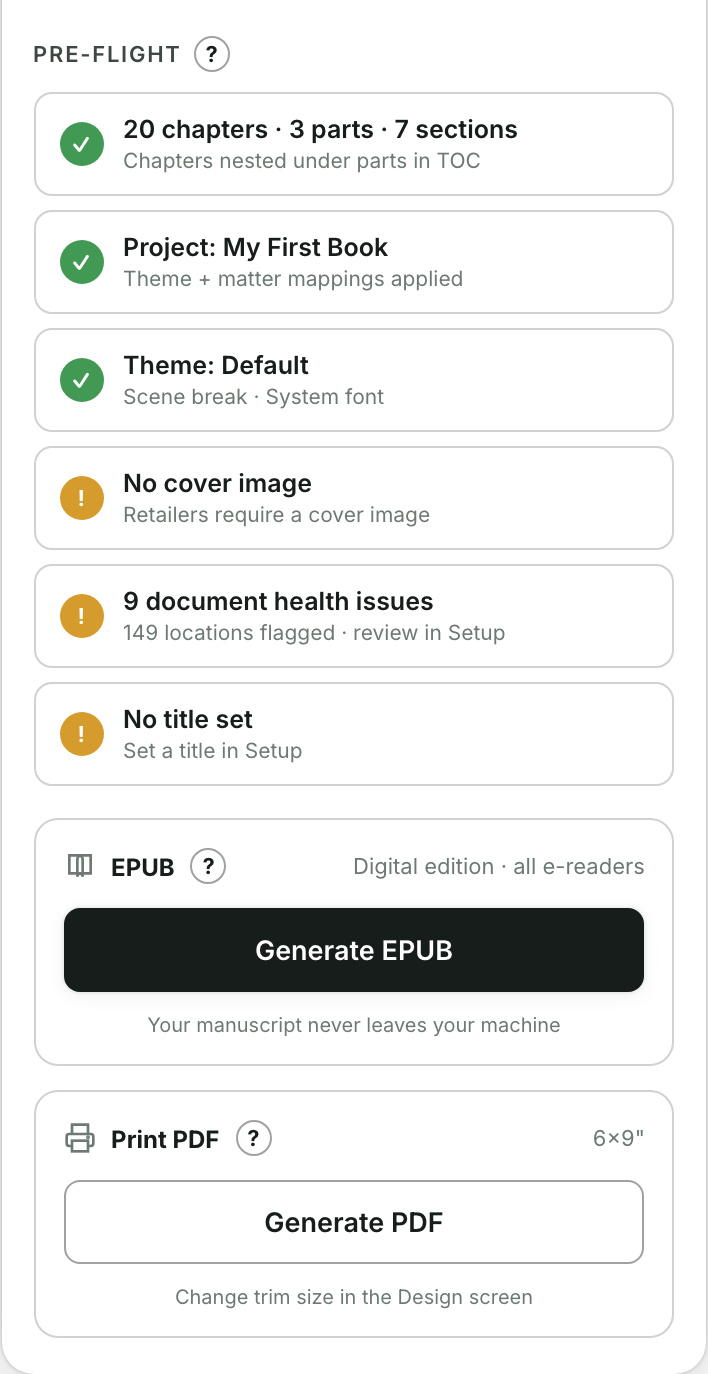
What pre-flight checks
Pre-flight is a quick, automatic check that the essentials of a valid, sellable book are in place. Each item shows one of three icons:
- ✓ tick — all good.
- ! warning — a suggestion worth looking at, but you can still export.
- ✕ cross — something required is missing; fix it before exporting.
Typical items
- Title, Author, Language — required metadata. Add them on Setup.
- Cover image — required by most stores. See Add a cover image.
What to do
Work down the list and clear every cross. Warnings are your judgment call. Once the essentials pass, go ahead and generate your EPUB or make a print PDF.