 Bookbndr
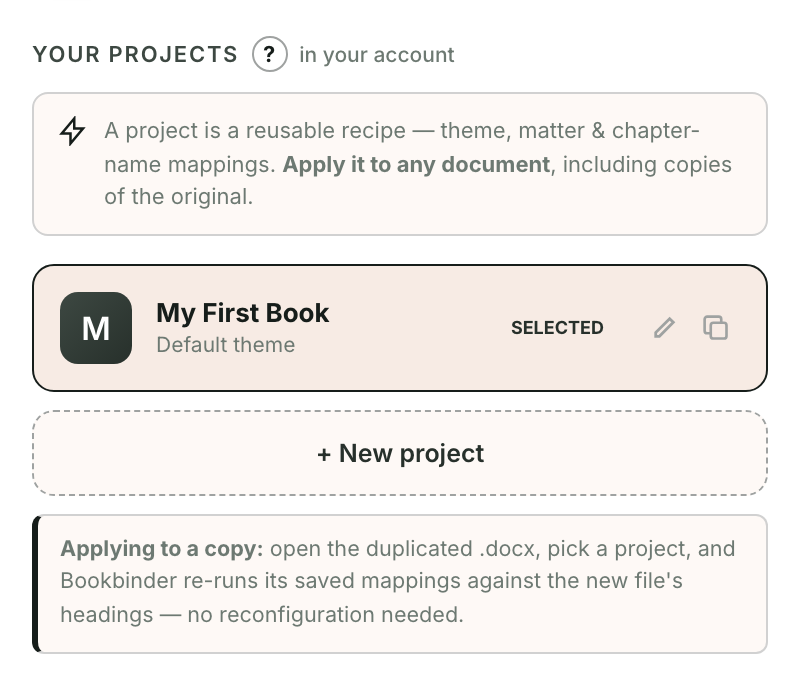
What you'll do: apply a setup you've already built to a different Word document — the next book in a series, or a fresh copy of the same manuscript — without configuring everything again.
This is what a project is for.
How it works
A project remembers your theme, your book details, and your chapter and matter choices. When you apply it to a document, Bookbndr re-runs those saved choices against that file's headings — so chapters, parts and sections are re-labeled automatically.
Steps
- Open the other
.docxin Word. - Open Bookbndr and go to the Projects screen.
- Select the project you want and click Apply project.
Bookbndr matches your saved chapter-name mappings to the new document's headings and applies your design. Review the Chapters step in case the new document has headings the project hasn't seen before.
Working on a revised copy of the same book? This is the quick way to carry all your formatting across to the new file. To make a variant without disturbing the original, duplicate the project first.