 Bookbndr
In plain terms: front matter is the pages before your story starts; back matter is the pages after it ends. Your actual chapters sit in between.
Every published book has these supporting pages. Bookbndr builds them for you so your book looks complete and professional, without you having to format them by hand in Word.
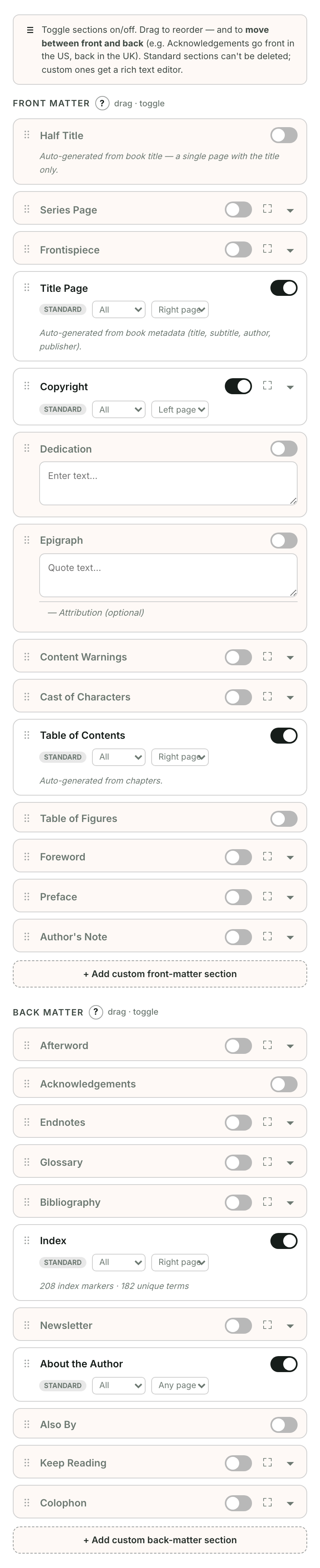
Front matter (before the story)
Common front-matter pages, roughly in the order they appear:
- Title page — the book's title and author.
- Copyright page — the copyright notice, edition and ISBN.
- Dedication — a short personal dedication.
- Table of contents — built automatically from your chapters.
- Epigraph, foreword or preface — optional opening pages.
Back matter (after the story)
- Acknowledgements — thanks to people who helped. (In the UK these often go at the front; you can move them — see below.)
- About the author — a short author bio.
- About the publisher — an introduction to your publisher or imprint.
- Index — an alphabetical list of topics, if your book has one.
You decide what's included
On Book extras, the groups Before your chapters and After your chapters show your included pages in reading order. Use Add a page to choose another type, or a page's ⋯ menu to move it or leave it out. Your text is kept when you leave a page out.
New books leave About the author and About the publisher out until you add them.
→ A good first one to set up: Add a copyright page.