 Bookbndr
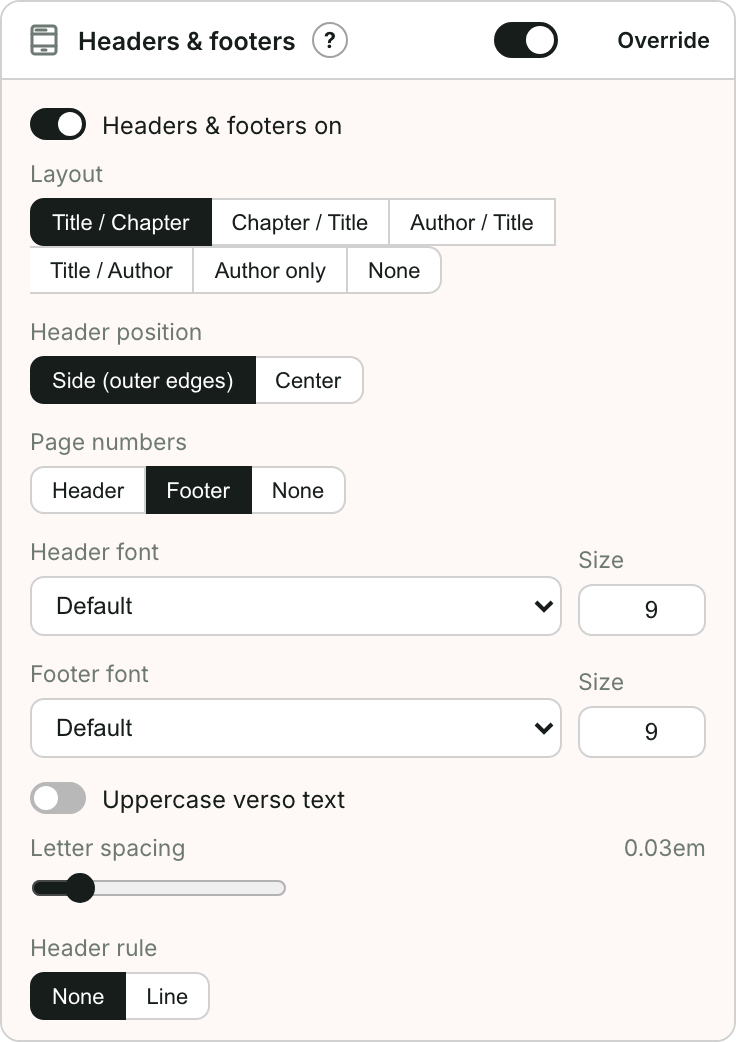
In plain terms: a running head is the little line of text repeated at the top of each printed page — usually the book title on one side and the chapter title on the other. Page numbers are the folios.
What they're for
They help a reader keep their place in a physical book: a glance at the top tells you which book and chapter you're in, and the page number lets you find your spot again.
A common arrangement is the author name on the left-hand page (verso) and the chapter title on the right-hand page (recto), with page numbers at the outer edges or centered at the foot.
Print only
Running heads and page numbers belong to the printed book. An EPUB has no fixed pages, so e-readers show their own progress bar or location number instead — these settings don't appear there.
Bookbndr leaves running heads off chapter-opening pages, where they'd look cluttered. You choose whether the page number stays, moves to the foot, or is left off there too.
→ To set them up: Add running heads and page numbers.