 Bookbndr
What you'll do: control how special passages look — quotations, extracts, poetry, sidebars, notes, and in-universe documents like letters, telegrams and text messages.
This is the Prose blocks section on the Design step.
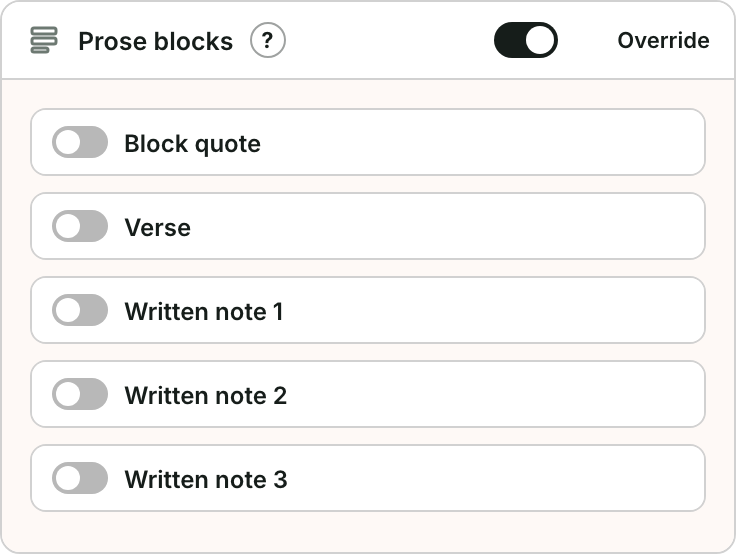
What you can style on the Design step
Open Prose blocks on the Design step. It has sub-sections for:
- Block quote — set it italic or normal, choose its font and alignment (left, justified or centered), and set its own size and indent. See block quote.
- Verse — preserve the lines of poetry or lyrics, with their own font, alignment, size and indent, a hanging (runover) indent for lines that wrap, and the gap between stanzas. See verse.
- Sidebar — a boxed passage set apart from the text, such as a tip, a summary or a reference box. Choose the panel style (Boxed with a border, Shaded with a tinted background, or Rules with a line above and below), how the title looks (bold, small caps or uppercase), and the font and size. See sidebar.
- Written note (up to three styles) — for diary entries, signs or notes; choose a handwriting-style font, italic or normal, plus size and indent.
In-universe document formats
Some passages have a fixed, recognizable look and don't need Design controls — apply the Word style and Bookbndr formats them:
- Letter — formal or printed correspondence, indented from both margins (for the hand-written look, use a Written note style instead).
- Typed document — reports, case files or notices, set in a monospace (typewriter) face.
- Telegram — the classic cable look: uppercase, letter-spaced monospace ("ARRIVING TUESDAY STOP").
- Text message — a short chat message, shown as a rounded speech bubble.
- Extract — a longer set-apart passage quoted from another work: roman (upright) and slightly smaller, distinct from an ordinary quotation. (A plain block quote stays a quote — only the Extract style becomes an extract.)
How a passage becomes a block
Bookbndr needs to know which paragraphs are quotes, verse, letters and so on. You mark them in Word using Bookbndr's named paragraph styles — see Add Bookbndr's writing styles. In Word, select the passage and apply the matching style from the Styles gallery:
| Passage | Word style |
|---|---|
| Block quote | Bookbndr Block Quote |
| Extract | Bookbndr Extract (or Word's built-in Extract) |
| Verse | Bookbndr Verse |
| Sidebar | Bookbndr Sidebar Title for its title, then Bookbndr Sidebar for its text |
| Note (handwritten look) | Bookbndr Written Note (1–3) |
| Letter | Bookbndr Letter |
| Typed document | Bookbndr Typed Document |
| Telegram | Bookbndr Telegram |
| Text message | Bookbndr Text Message |
Once a passage carries the right style, the design you set here is applied to it everywhere it appears. After applying styles in Word, return to Bookbndr and press Re-scan document so it picks up the changes.
Sidebars
A sidebar keeps its place in the text: it appears exactly where it sits in your manuscript, never floated to the top or bottom of a page.
There are two ways to make one in Word:
- With styles. Apply Bookbndr Sidebar to the paragraphs of the box. Consecutive Bookbndr Sidebar paragraphs form one sidebar. To give it a title, put a Bookbndr Sidebar Title paragraph first; a title also starts a new sidebar, so two boxes in a row stay separate. Bulleted or numbered paragraphs inside a sidebar become a list inside the box.
- With a text box. Bookbndr turns every Word text box into a sidebar, in the place it's anchored. If the box's first line is short and all bold (or uses a heading style), it becomes the sidebar's title.
In print, a long sidebar can continue onto the next page; its border or shading carries over, and the title never sits alone at the bottom of a page.