 Bookbndr
What you'll do: design how the start of every chapter looks — the chapter number, title, subtitle and any decorative image.
This is the Chapter opener section on the Design step. It's the biggest single influence on how "designed" your book feels.
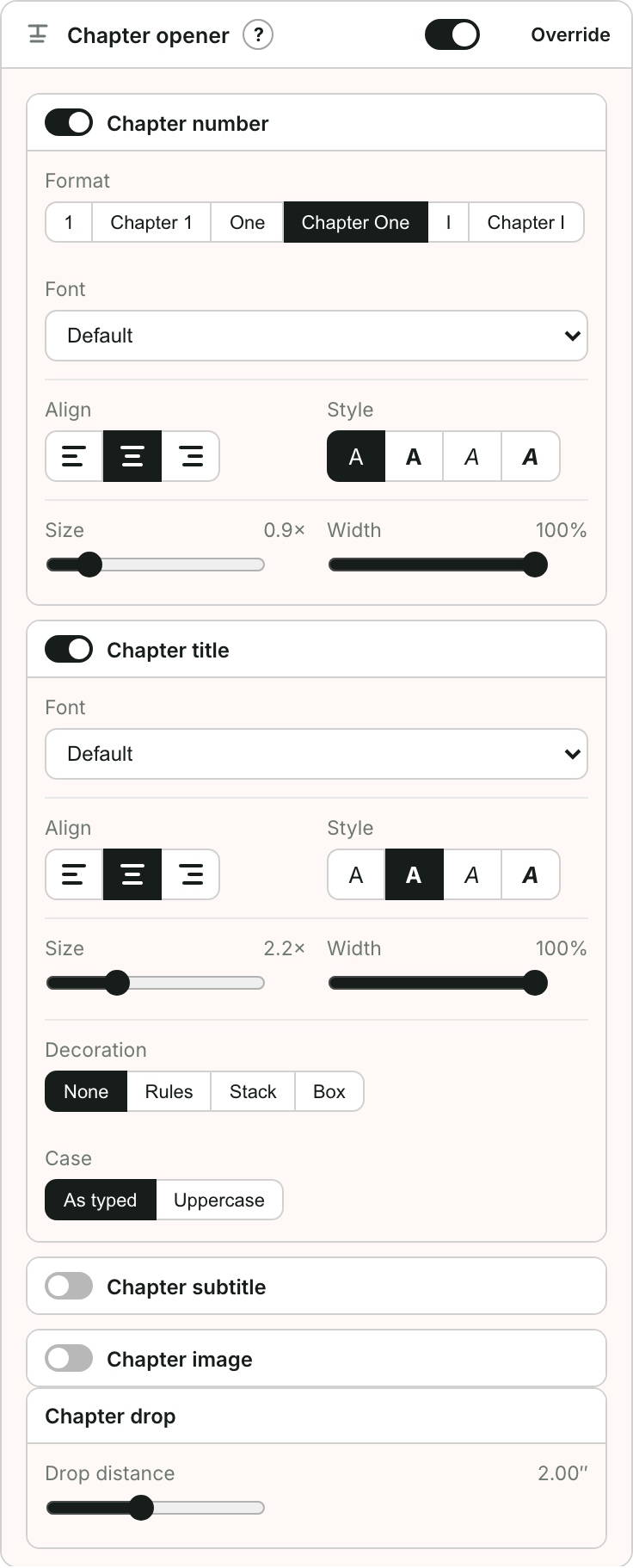
What you can control
Open Chapter opener on the Design step. It has five parts you can switch on or off:
- Chapter number — show it or not, and choose the format:
1,Chapter 1,One,Chapter One, or roman numerals (I). Set its font, alignment, style (bold/italic), size and width, its Number case (as typed, uppercase, or small caps), its Letter spacing, whether a short Rule under number is drawn (Auto draws it for the built-in serif fonts), and a Number badge: the number in an outlined box, a filled box with the number reversed out, or a filled circle, as many middle-grade and YA novels set it. - Chapter title — the same font/alignment/style/size controls, plus a Decoration (rules, a stacked layout, or a box around it), a Case option (as typed, all capitals, or small caps) and Letter spacing. Small caps with a little letter spacing is the classic hardcover look.
- Chapter subtitle — styling for an optional second line.
- Chapter image — add a decorative graphic (a title band, ornament, or rule). Choose where it sits relative to the title, and its width and alignment. You can also pick a background image.
- Chapter drop — how far down the page the chapter starts. Off, Bookbndr works it out for you: about a quarter of the page, lined up with the body text, and the panel shows the distance it will use. Switch it on to set your own Drop distance.
Tips
- Less is often more — pick a number format and one decoration rather than stacking many effects.
- Want a fancy first letter as well? See Add a drop cap.
- Use the live preview, and check a chapter that has a subtitle if yours do.