 Bookbndr
What you'll do: control how your book's index is laid out.
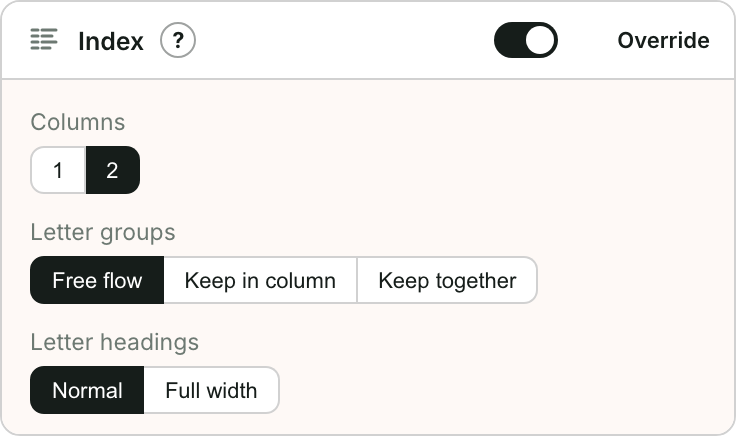
This is the Index section on the Design step. It only matters if your book has an index.
Steps
- Go to Design and open Index.
- Columns — show the index in 1 or 2 columns. Two columns is common in print to save space.
- Letter groups — how entries under each letter behave across columns: free flow, keep in column, or keep together.
- Letter headings — show each letter (A, B, C…) as a normal heading or a full-width band.
Where the index comes from
Bookbndr builds the index automatically from the index entries you marked in Word. When it finds them, it switches the Index back-matter section on for you. If your book has no marked entries, this section simply has no effect. See What is an index?.