 Bookbndr
What you'll do: choose how the captions under your pictures are set, and add a credit line.
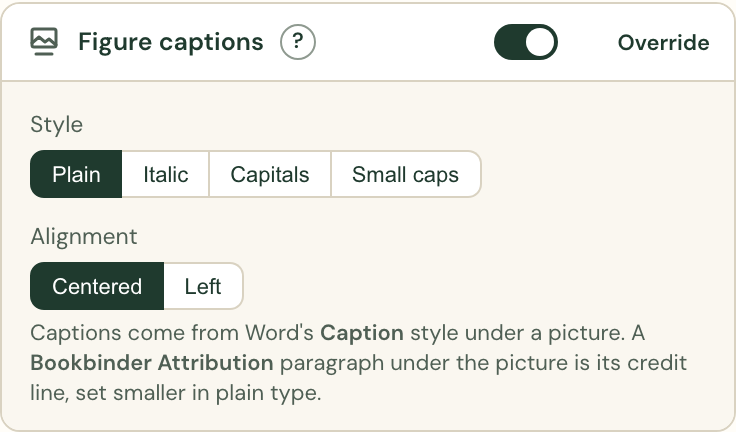
This is the Figure captions section on the Design step. It only matters if your book has pictures with captions.
Steps
- In Word, put the caption in a paragraph directly under the picture, in Word's Caption style (Word adds it when you use References → Insert Caption). Bookbndr keeps the caption with its picture so a page break can never separate them.
- For a picture credit — "Photograph: Jane Doe" or "Courtesy of the Maritime Museum" — add a Bookbndr Attribution paragraph directly under the picture (or under its caption). It becomes a smaller credit line inside the figure. See Use Word styles.
- Go to Design and open Figure captions.
- Style — Plain (small, muted type), Italic, Capitals (letterspaced), or Small caps. The credit line always stays in plain type.
- Alignment — Centered under the picture, or Left.
Tips
- Most trade books center their captions; left-aligned captions suit a design with left-aligned chapter headings, such as the Nonfiction theme.
- A caption that is not directly under a picture (a table caption, say) stays an ordinary caption paragraph and picks up the same style.