 Bookbndr
What you'll do: choose a page's position and editions, with optional print layout settings.
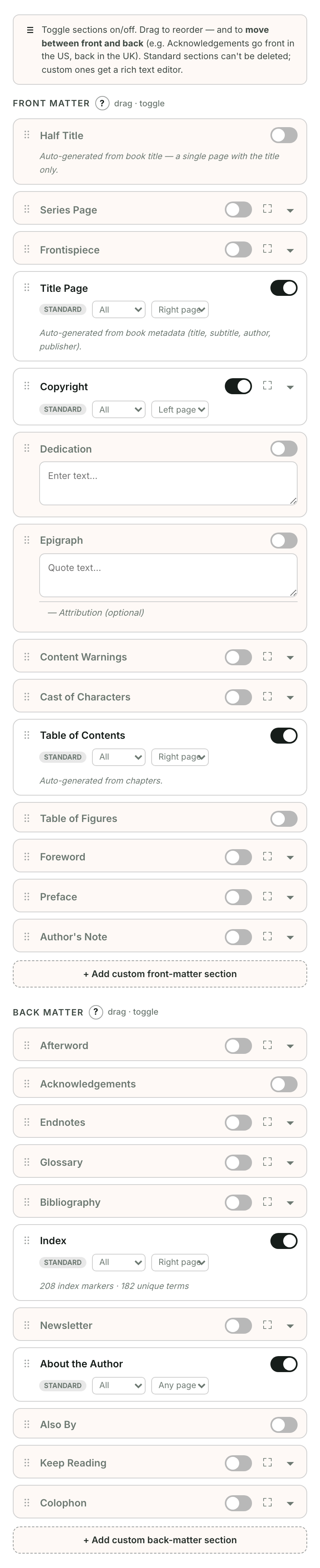
Open a page's editor, then Page options. For a page created automatically, choose Page options from its ⋯ menu.
Include in
- Ebook and print — appears in both editions.
- Ebook only — appears only in the EPUB.
- Print only — appears only in the printed book.
To keep your text but leave the page out of both editions, clear Include in my book.
Placement
Choose Before my chapters or After my chapters. To change its order within that group, use the ⋯ menu's Move up and Move down controls.
Start on (print only)
- Next available page — follows the preceding page.
- Right-hand page — starts on a right-hand page (a recto).
- Left-hand page — starts on a left-hand page (a verso).
Choosing a side can add a blank page before this one. Use recommended page sides applies conventional sides to standard opening pages. These settings don't affect ebooks, where pages adapt to the reader's screen.
The selected-page Print preview shows this page's layout. Its final side and number depend on the complete book.