 Bookbndr
What you'll do: choose how the gaps between scenes in a chapter are shown — blank space, an ornament, asterisks, or numbers.
This is the Scene break section on the Design step. See What is a scene break? for the idea.
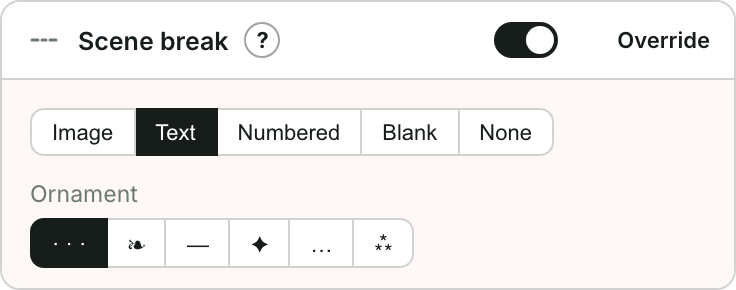
Choose a style
- Go to Design and open Scene break.
- Pick a Type:
- Image — a decorative ornament or divider graphic. Choose one and set its width.
- Text — a typographic symbol such as
· · ·,❧,—,✦,…or⁂. - Numbered — each scene is headed by a centered roman numeral (I, II, III…).
- None — just a blank space between scenes.
How Bookbndr knows where the breaks are
Scene breaks come from your manuscript — typically a line containing only * * * or a few asterisks, or an empty paragraph used as a divider. Bookbndr detects these and replaces them with the style you chose here, consistently throughout the book.